Claude Code with Free Models Alternatives without Subscription
Benchmark
Using up your Claude Code limit too much and being throttled? Here are 3 workaround alternatives running Claude Code with Free AI Models. In my recent web pentesting, I analyzed manually and tried to understand the web application as usual via Burp Suite, but while doing that, I used both agentic web pentest AI using Strix + Kimi Model AI (via OpenRouter) and Claude Code.
Especially, I let it run while I was sleeping or taking a break to have meals or use the toilet, and these tools continued working. When I returned, I read their generated reports, validated them manually, and chained the vulnerabilities myself if there were any. Though I sometimes asked the AI to do that as well.
I know there are tools to crawl or scrape web JavaScript assets. However, while you’re busy with something else, these tools can at least analyze JavaScript code and find all API endpoints, API keys, secret keys, and so on for you. Unfortunately, either the OpenRouter paid models or the Claude Code subscription limit has been reached and throttled.
If you’re fed up with this, here are a few alternatives. We can route Claude Code to use local NVIDIA NIM models via proxy, Ollama models, or OpenRouter AI instead of Anthropic’s proprietary models, and let the AI continue the work without using your subscription :)
- Claude Code + Free NVIDIA NIM Models (must go through a proxy) — Public cloud endpoints; you don’t need a strong GPU.
- Claude Code + Free Local Ollama Models — If your machine has a strong enough GPU.
- Claude Code + Free OpenRouter.ai Models — Public cloud endpoints; you don’t need a GPU.
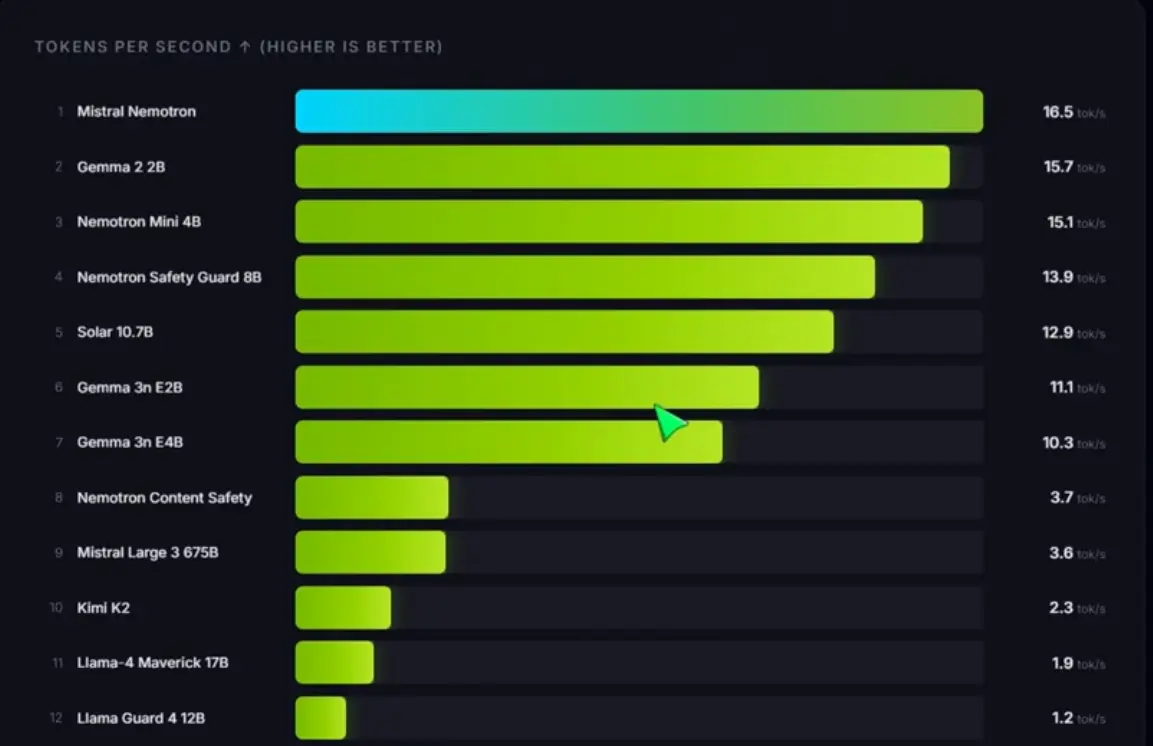
Note that because we chose free models, they can sometimes be slow or unresponsive. Check screenshots below for benchmarking of NVIDIA NIM free models.
Install Prerequisites
I used this Claude Code proxy repository, where we just need to modify the .env.
# install claude code
curl -LsSf https://astral.sh/uv/install.sh | sh
uv self update
uv python install 3.14

# free-claude-code proxy
git clone https://github.com/Alishahryar1/free-claude-code.git
cd free-claude-code
1. Free NVIDIA NIM Models
Get NVIDIA NIM API Key first
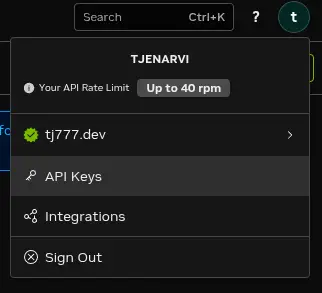
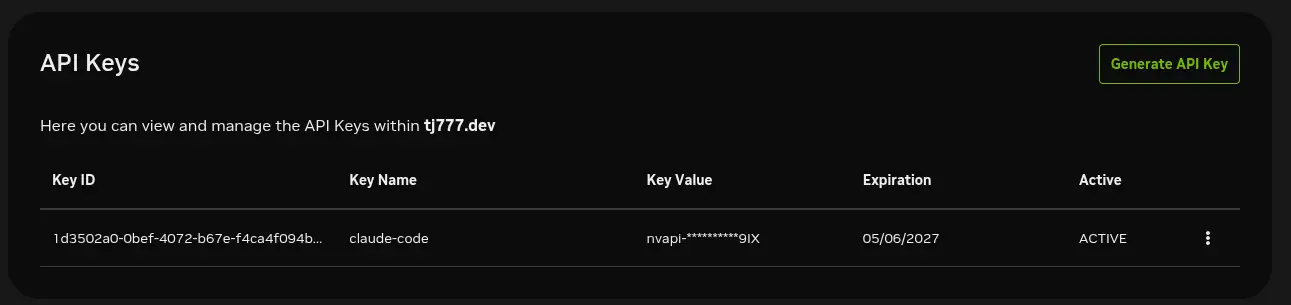
Modify free-claude-code .env
Here we only need to modify two values, since the default model is already chosen here, you can try this one and you just need to modify the NVIDIA API Key.
- NVIDIA_NIM_API_KEY
- MODEL (default model is already chosen here nvidia_nim/z-ai/glm4.7 - check screenshot below for other models)
- Leave the “freecc”, we need this
# .env configuration
# inside "cd free-claude-code"
cp .env.example .env

# modify the model values
# check screenshot below for other Models
NVIDIA_NIM_API_KEY="YOUR-NVAPI-KEY"
MODEL="nvidia_nim/z-ai/glm4.7"
ANTHROPIC_AUTH_TOKEN="freecc"
Run Claude Code + Free NVIDIA NIM Model
# inside "cd free-claude-code"
# run the proxy, make sure no error here
uv run uvicorn server:app --host 0.0.0.0 --port 8082

# run claude code with the proxy
ANTHROPIC_AUTH_TOKEN="freecc" ANTHROPIC_BASE_URL="http://localhost:8082" claude
Choose Other NVIDIA NIM Free Models
Link https://build.nvidia.com/models
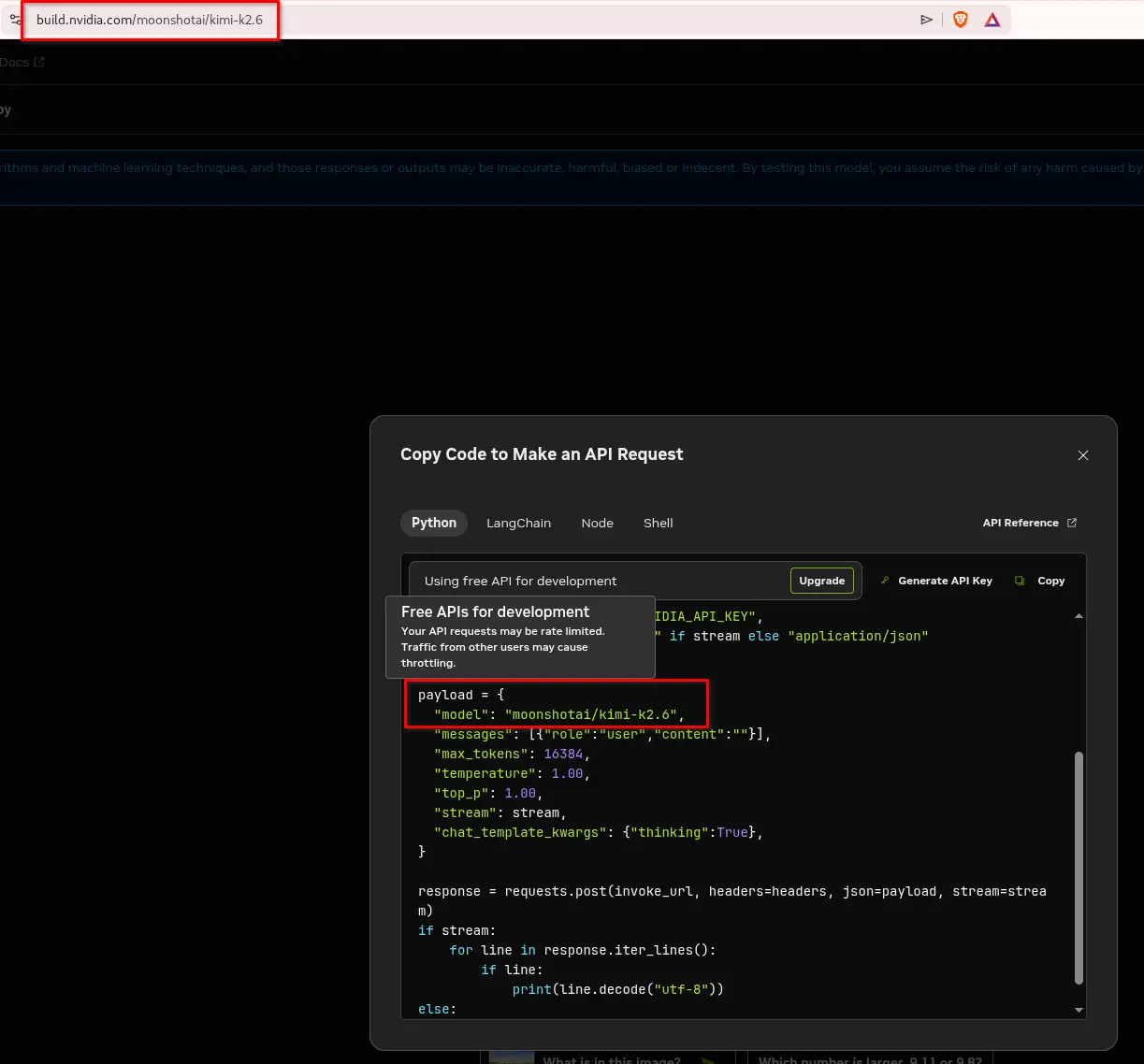
Click your chosen model -> Click View Code on the right side -> Get API Key if you don’t have yet-> Get the model name -> In this example it is “moonshotai/kimi-k2.6”
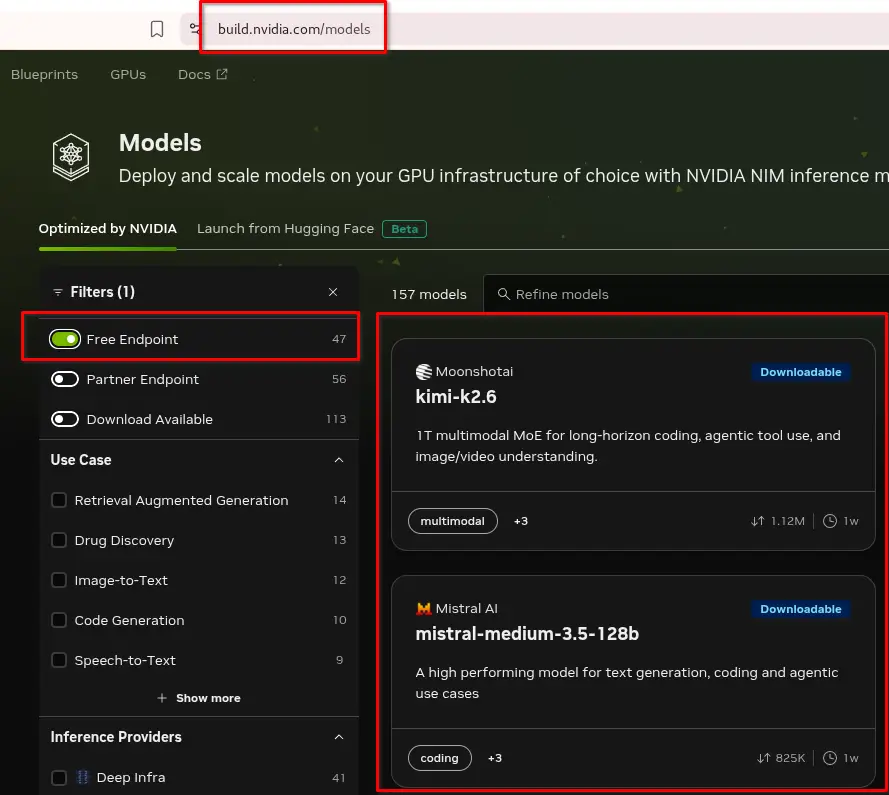
Modify .env for your chosen model
# modify the values
NVIDIA_NIM_API_KEY="YOUR-NVAPI-KEY"
MODEL="nvidia_nim/moonshotai/kimi-k2.6"
NVIDIA NIM Models Benchmark
If you wonder the speed or you are experience slowliness, let’s do a benchmark ourselves. https://github.com/PromptEngineer48/NIM-Models-Speed_Test
2. Free and Local Ollama Models
Other alternative, they have free models you can download and plug into Claude Code.
You can browse model here https://ollama.com/search.
In this example, using https://ollama.com/library/qwen3.6.
Download - Modify - Run Ollama Model
Choose Model https://ollama.com/library/qwen3.6
# example here is qwen3.6
# pull to download the model locally
ollama pull qwen3.6

# list downloaded model
ollama list

# check ollama process
# we can see the NUMBER OF TEXT TOKEN is only 4096
ollama ps

# Modify the token - make a bigger context - so the AI will have better remembering your context in one prompt
# Modelfile content
vim Modelfile
FROM qwen3.6:latest
parameter num_ctx 65535

# create another model with name as qwen3.6:64k
ollama create qwen3.6:64k -f Modelfile

# run the model in one terminal
ollama run qwen3.6:64k
Run Claude Code + Ollama
# in another terminal
ollama launch claude

# or this way - without YES / NO Permissions - BE VERY CAREFUL ON THIS ONE
ollama launch claude -- --dangerously-skip-permissions
3. Claude Code + Openrouter Model
In this example using model from https://openrouter.ai/openai/gpt-oss-120b:free
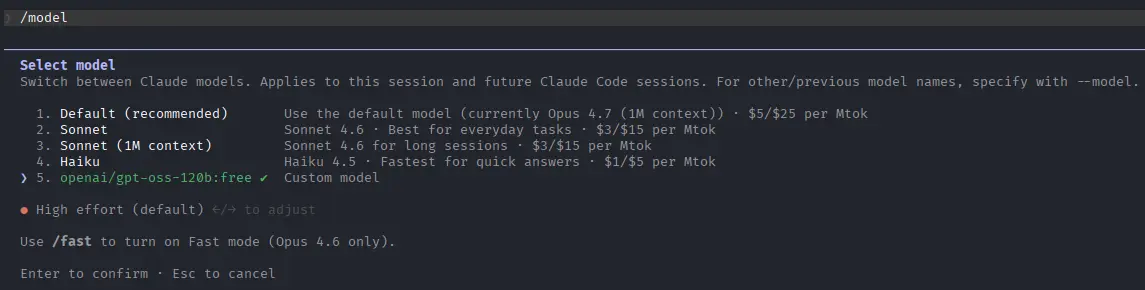
ANTHROPIC_AUTH_TOKEN="YOUR-OPENROUTER-AI-TOKEN" ANTHROPIC_BASE_URL="https://openrouter.ai/api/" ANTHROPIC_API_KEY="" claude --model openai/gpt-oss-120b:free